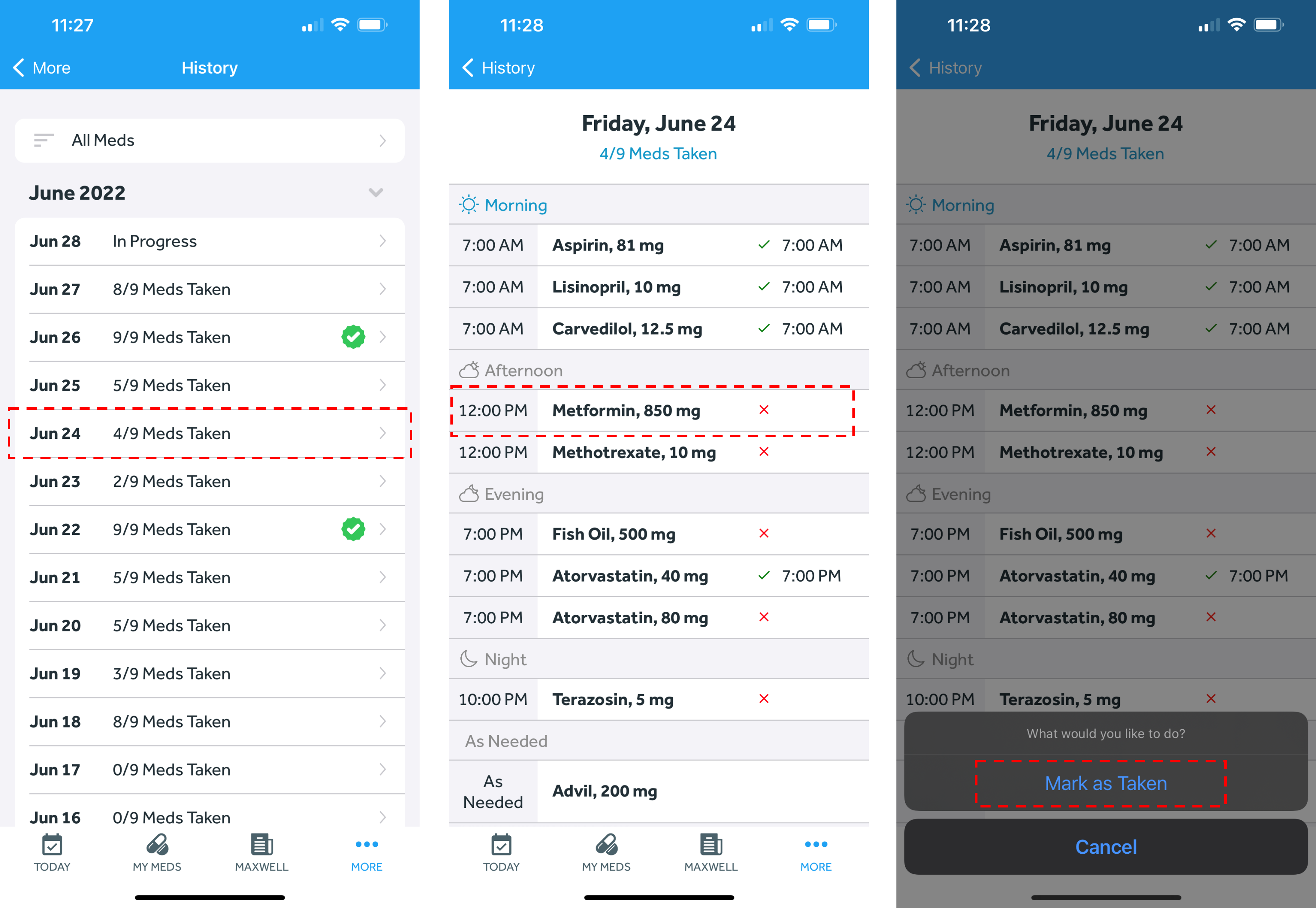
You can take or untake a medication from a prior day in 2 different ways:
Option 1: From the History page
- In the Banner Medications app, navigate to the History tab
- Click on the date you wish to edit
- Click on the medication you wish to mark as taken or untaken
- Follow the prompts to take or untake the medication
Option 2: From the Today page
- In the Banner Medications app, navigate to the Today tab
- Click the arrows next to the date listed at the top middle of the page. Navigate to the date you wish to edit
- Click the “checkmark” next to the medication you wish to take or untake. Follow the prompts to take or untake the medication