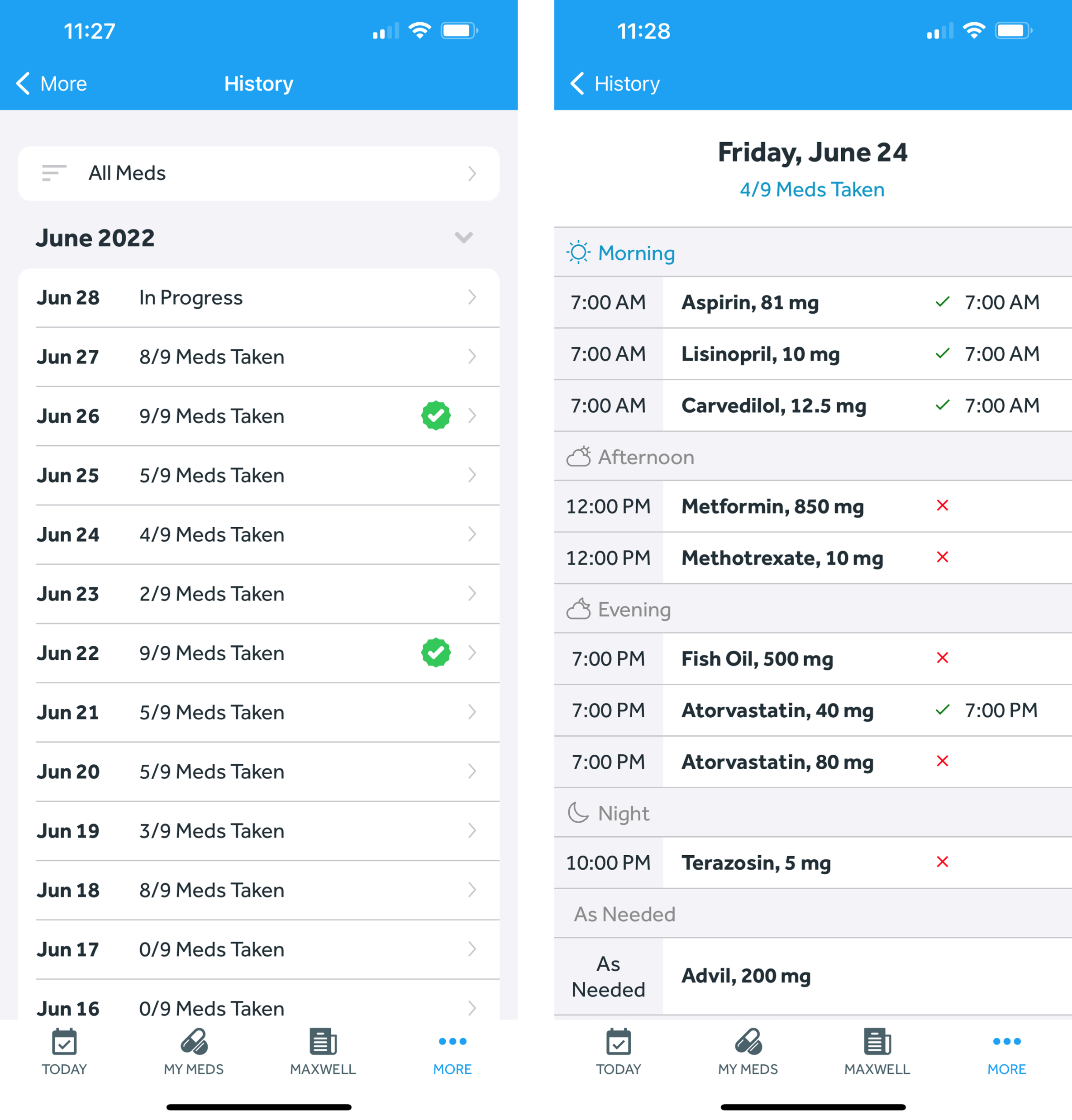
- In the Banner Medications app, navigate to the History tab
- Your daily medication history will be shown on this tab
- If you want to filter the daily history by specific medication(s), do the following:
-
-
- Click “All Meds” at the top of the page
- Select the medication(s) you wish to see the history for
-
-
- Note that you can click into days to see taken/skipped medications for that specific day. You can also take or untake medications from prior days if needed: How do I take or untake a dose from a prior day?