- In the Banner Medications app, click on the navigation menu at the top left of the app
- Click “Pharmacies”
- Select the pharmacy you wish to attach a medication to
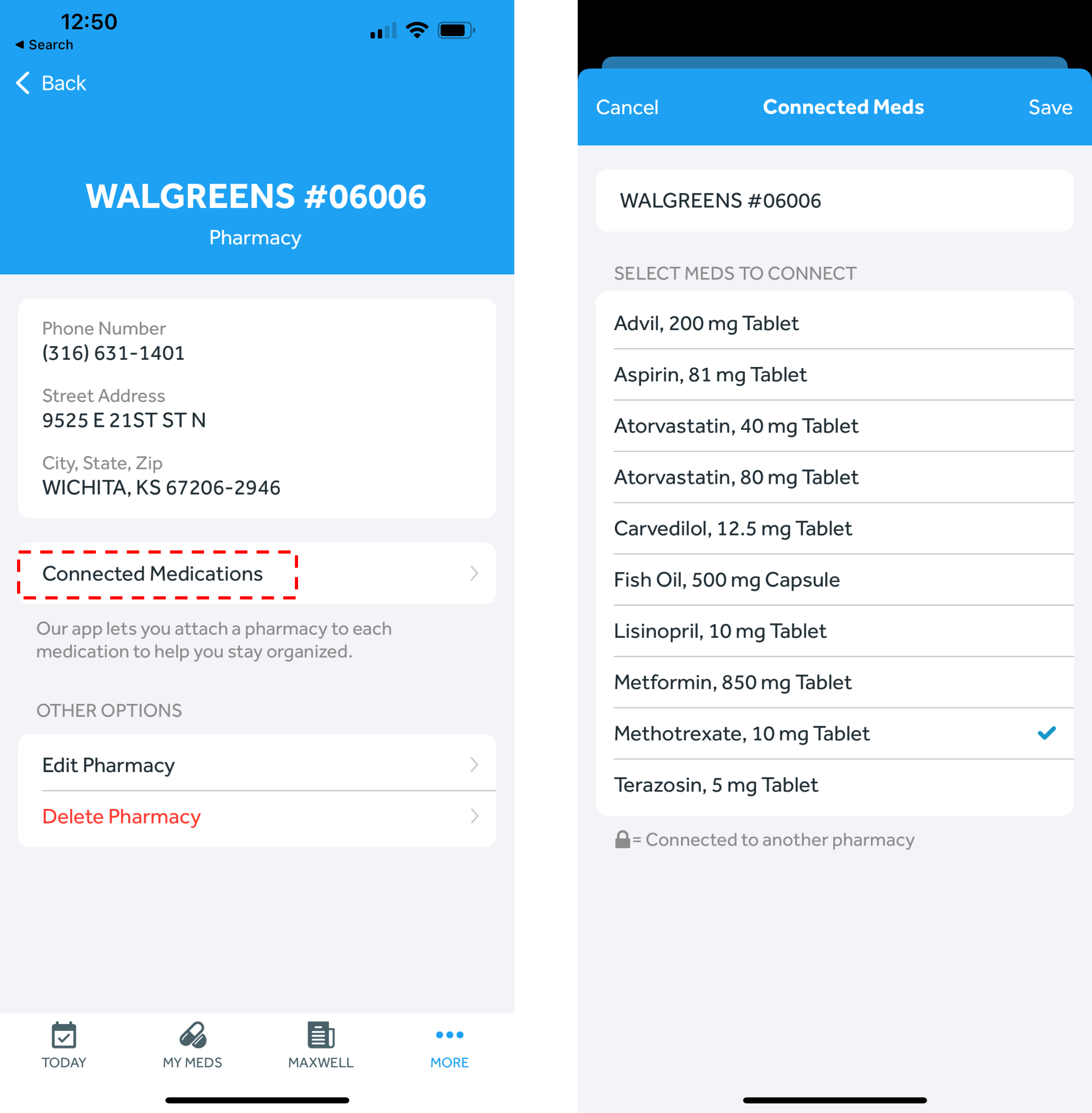
- Click “Connected Medications”
- Click on the medication(s) that you want to attach to the pharmacy
-
- If a lock symbol is shown next to a medication, that means that the medication is already attached to another pharmacy. Each medication can be attached to only one pharmacy.
-
- Click "Save" on the top right of the page