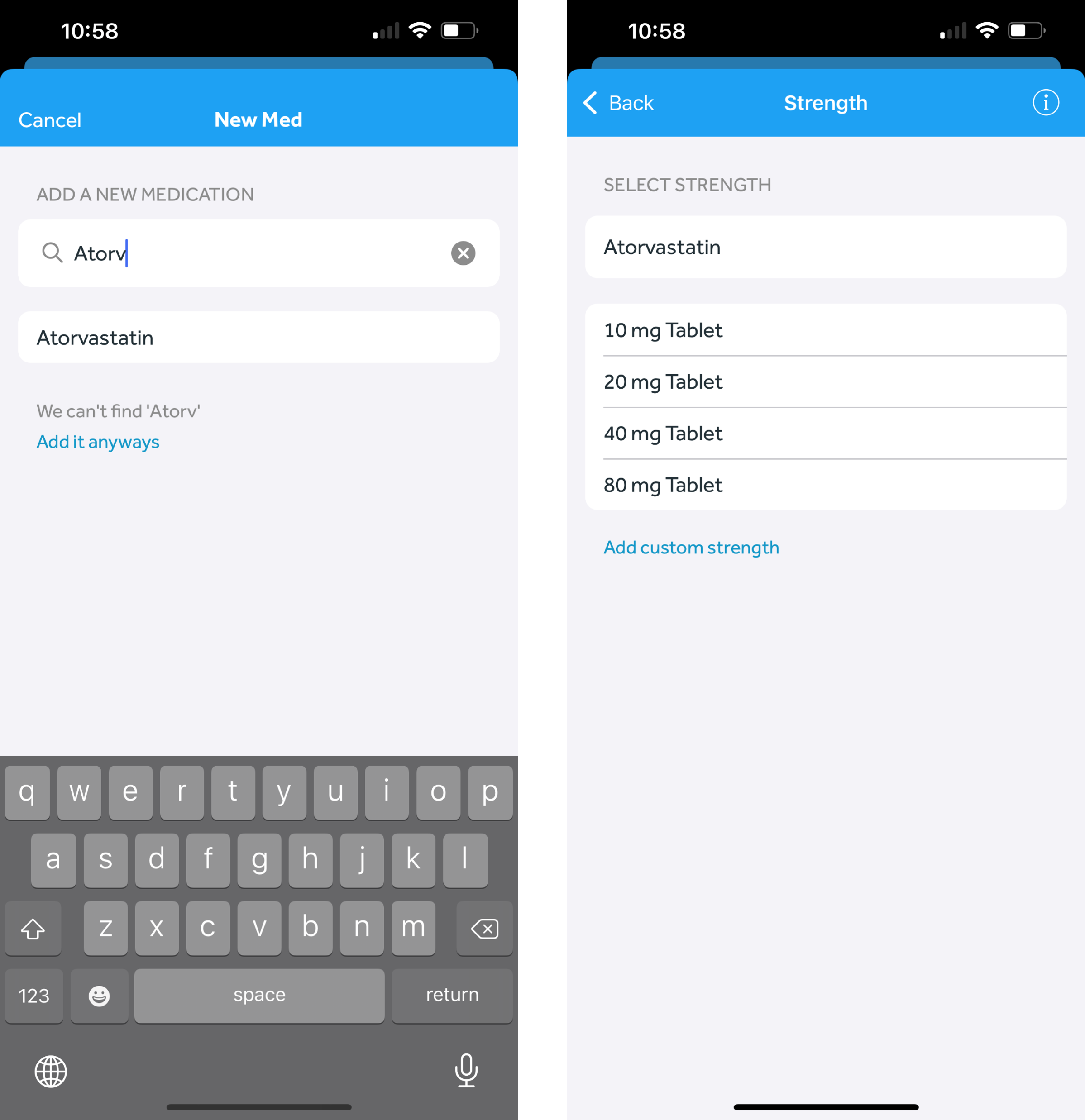
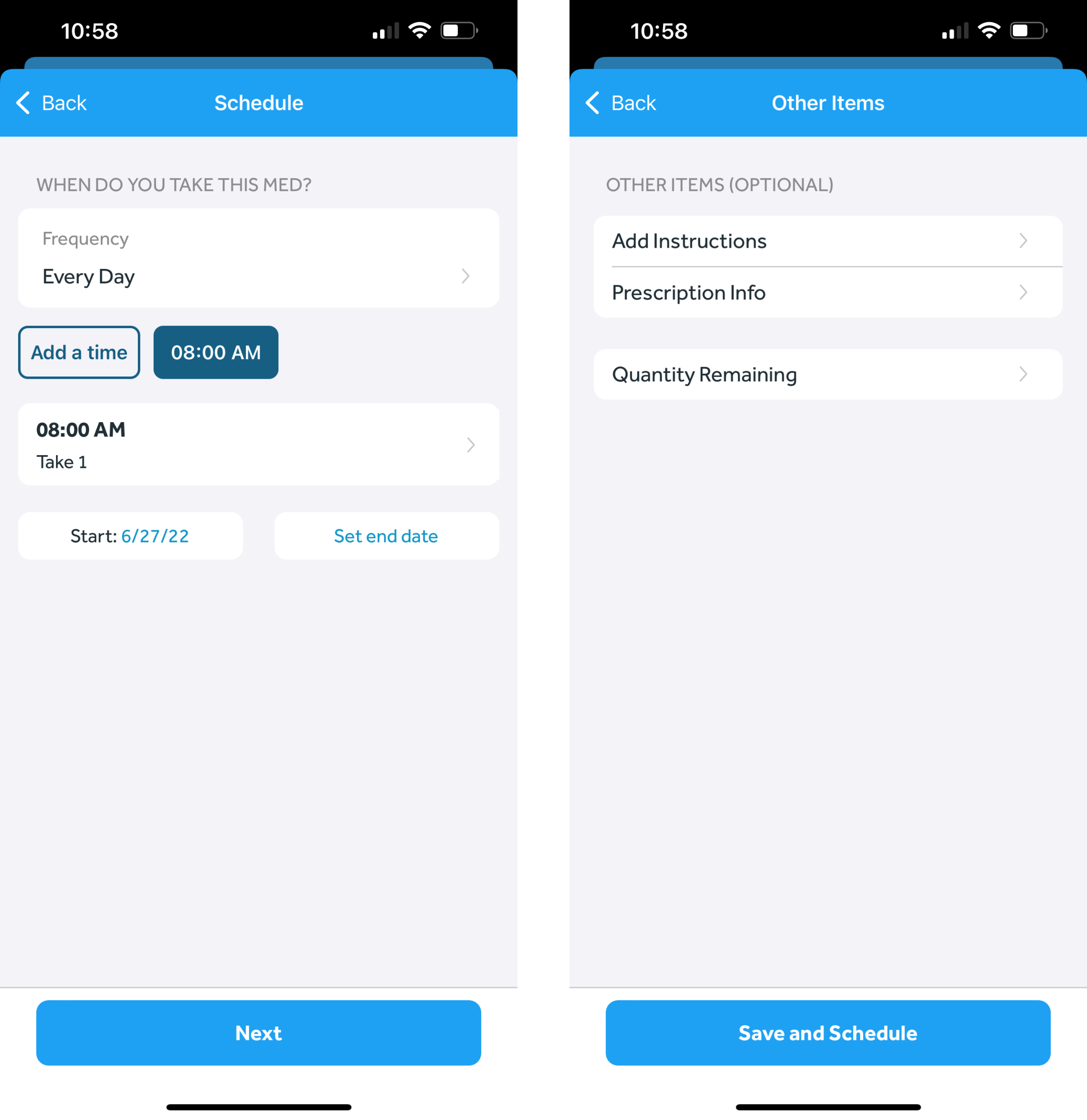
- In the Banner Medications app, navigate to the My Meds tab
- Click the round “plus” button at the bottom right of the page
- Start typing the name of the medication you would like to add
- Choose your medication from the list of medications retrieved from our drug database
-
- If your medication does not appear in our list, you can still add it as a custom medication. Learn more here: What if my medication is not shown in the search when adding a medication?
-
- Select your medication strength (e.g. 20 mg tablet)
- Select the frequency for the medication
-
- Learn more here: Which medication frequencies does the app support?
-
- Select the times when you take the medication (if applicable)
- If you take more than 1 pill, tablet, etc. per dose, click the button with your currently selected time and select “Edit Quantity Taken” on the pop-up. Adjust the number to your specific quantity
- Click “Next"
- If desired, add other details like Instructions or Quantity Remaining
- ”Click “Save and Schedule”