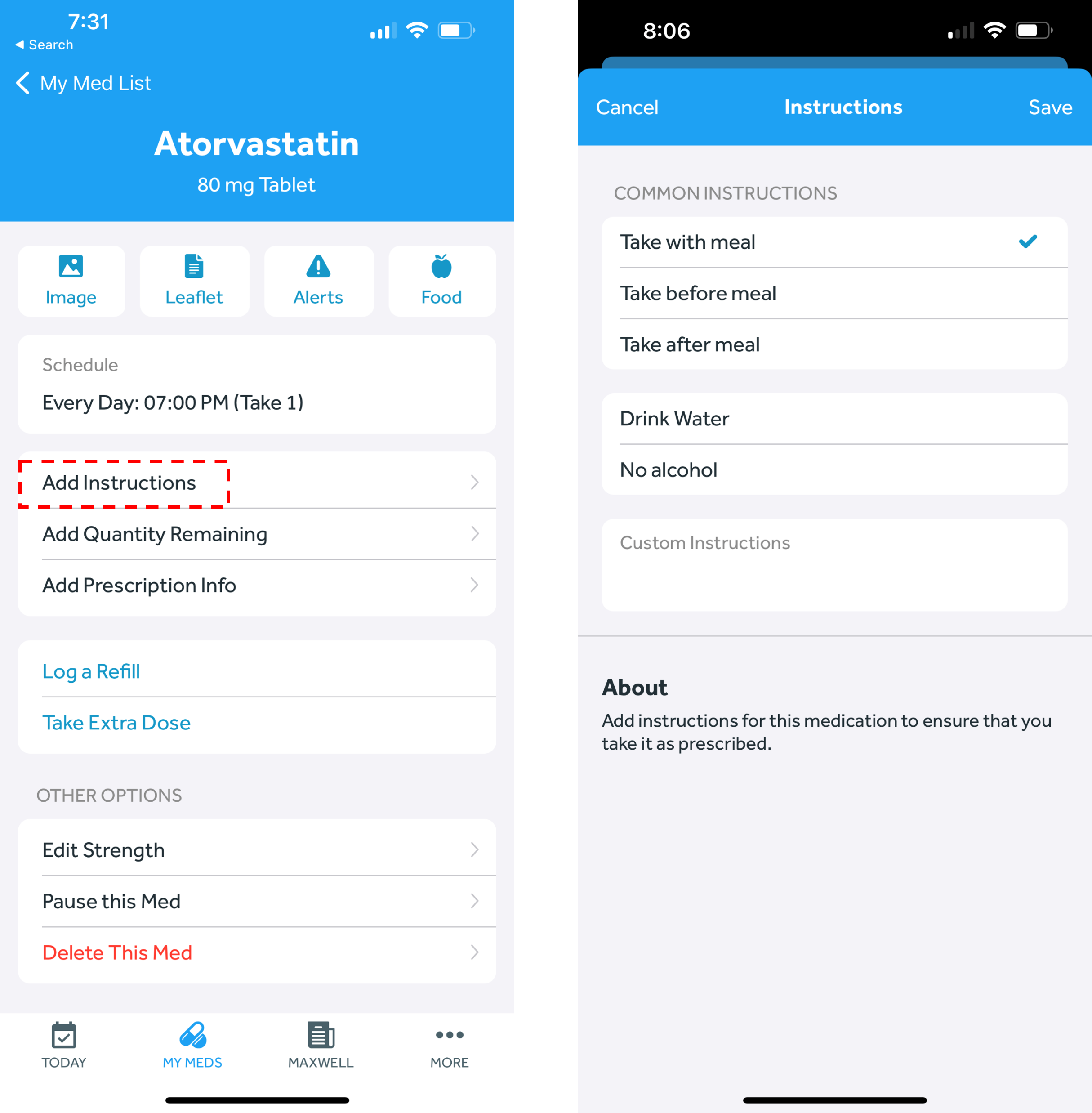
- In the Banner Medications app, navigate to the My Meds tab
- Select the medication you wish to edit
- Click on the “Add Instructions” button
- Choose from the common instructions listed or add your custom instructions in the text box
- Click “Save” in the top right corner.