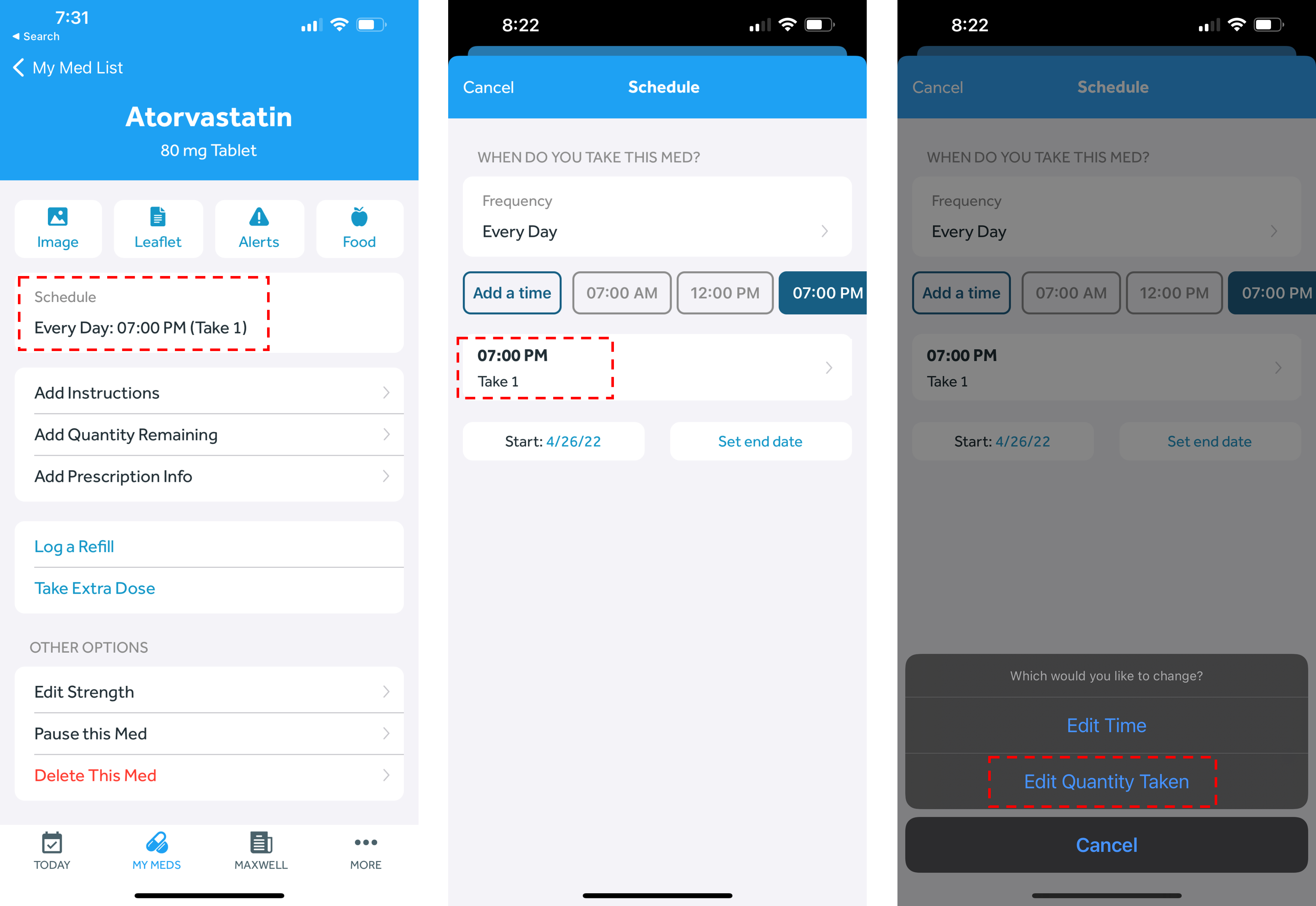
- In the Banner Medications app, navigate to the My Meds tab
- Select the medication you wish to edit
- Click on the current schedule
- Click the button with your currently selected schedule and select “Edit Quantity Taken” on the pop-up
- Adjust the number to your specific quantity
- Click “Save” in the top right corner