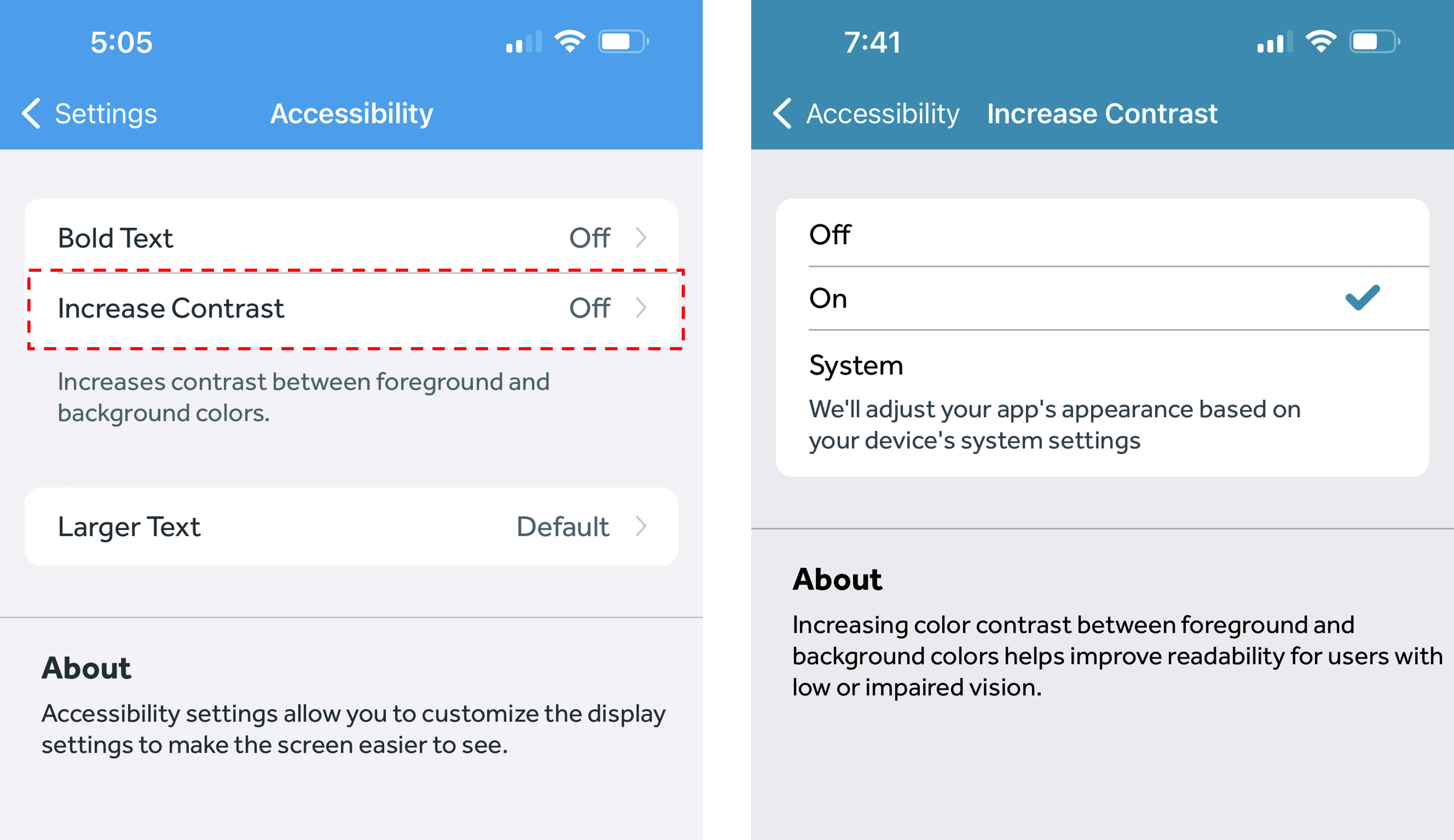
The Banner Medications app includes accessibility features to customize display settings and make the app easier to see. The Increased Contrast accessibility feature increases the contrast between foreground and background colors in the Banner Medications app, helping to improve readability for users with low or impaired vision. Here's how to enable Increased Contrast:
- In the Banner Medications app, click on the navigation menu at the top left
- Click the “Settings” button
- Under “Preferences,” click the “Accessibility” button.
- Click "Increase Contrast"
- Switch it to "On" or "System"
-
- If you select System, our app will turn the Increased Contrast feature on or off based on your device's system settings
-